Better support.
Faster resolution.
Nexanity Helpdesk brings IT support, Odoo ERP assistance and service communication into one organised web-based portal.
See the product in action. Discuss your requirements and subscription options.

Keep support connected
to your everyday work.
When support requests arrive through different channels, knowing where to start can become a challenge. Nexanity Helpdesk gives your team a dedicated portal for its support needs.
Use a product demonstration to explore the actual workflow, discuss your current support process and see whether the software fits the way your business operates.
- Web-based access through a dedicated portal
- A shared destination for IT and ERP support needs
- Subscription options discussed around your requirements
One portal.
Several everyday support needs.
Explore these areas in a guided demonstration. Available functionality, setup and subscription scope will be confirmed with you.
Helpdesk tickets
A central place to submit support requests instead of spreading conversations across different channels.
IT support
Bring day-to-day technical assistance into a dedicated support portal.
Odoo ERP assistance
Give ERP-related questions and support needs a clear place to start.
Service updates
Access service information and updates through the portal.
Assets
Explore the asset-related capabilities during your product walkthrough.
Approvals
Review how approval-related needs can fit your support workflow during the demo.
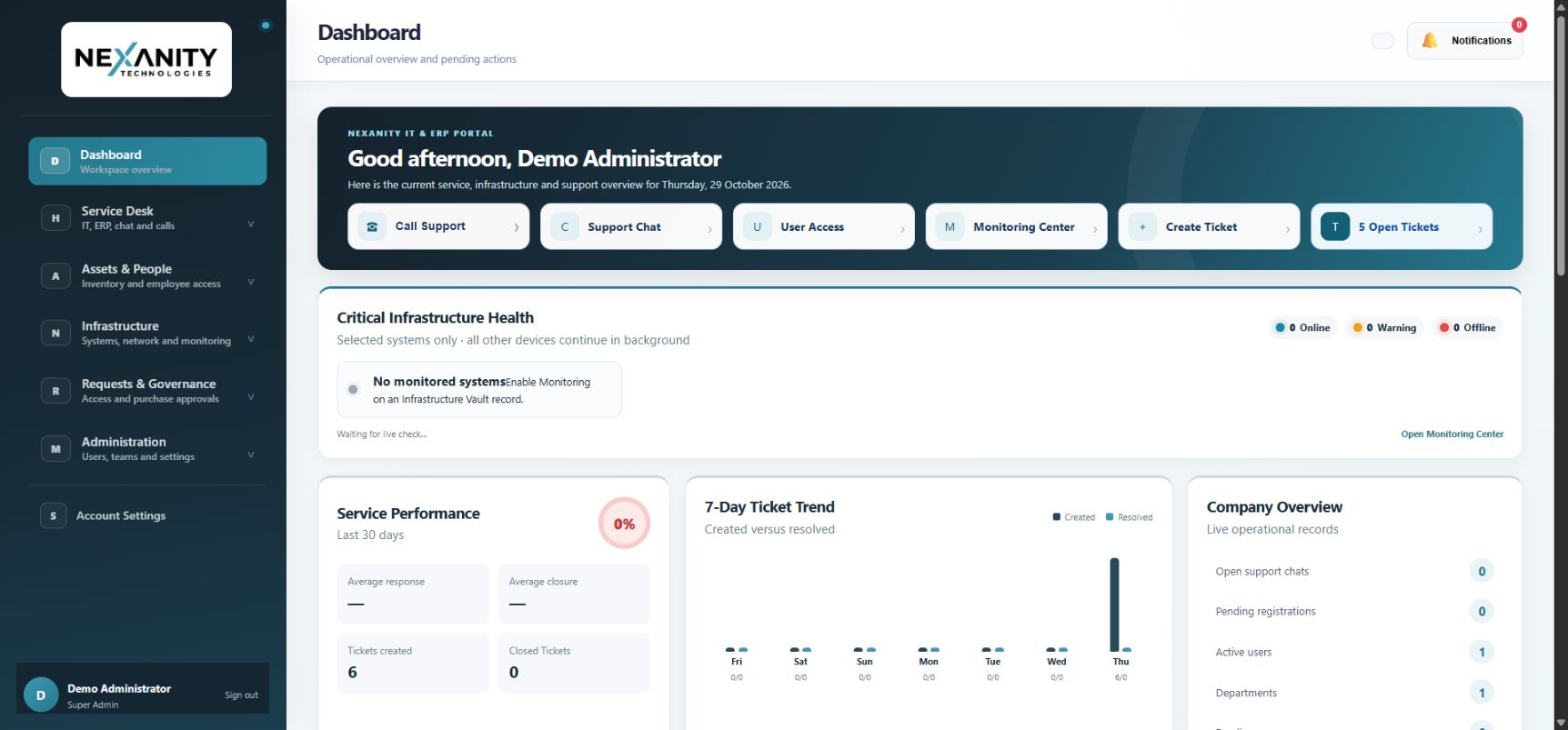
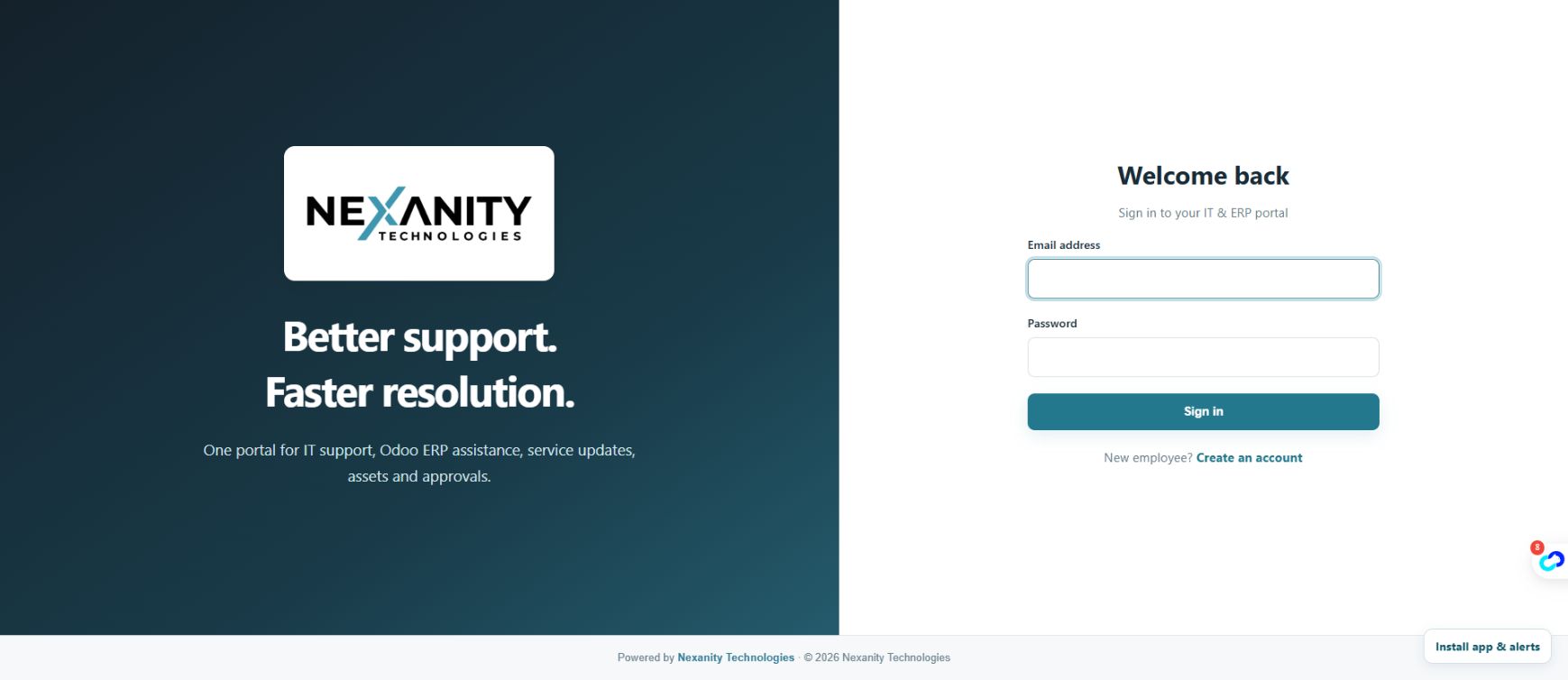
A closer look at Nexanity Helpdesk.
The real application: your support workspace, company branding and secure sign-in. Dashboard shown with demonstration data.
A demo built around your questions.
Tell us how your team handles support today. We can use that context to guide a relevant product conversation.
Share your requirements
Tell us your company name, approximate team size and the support challenges you want to address.
Explore the application
Walk through the actual product and discuss the support workflows that matter to your team.
Discuss the subscription
Review fit, required setup, available features and commercial terms before deciding on the next step.
Start with the right fit
for your business.
Nexanity Helpdesk is offered through a subscription. Contact us to discuss the appropriate plan, setup requirements and quotation for your organisation.
Discuss Demo & Pricing →Pricing, billing period, onboarding and included support are confirmed in your quotation.
- Discuss your team size and access requirements
- Review the features included in the proposed plan
- Agree any setup or onboarding requirements
- Confirm ongoing support and subscription terms
Your Helpdesk questions, answered.
Can we see the software before subscribing?
Yes. Request a demonstration and tell us what your team needs. We will discuss a suitable product walkthrough and next steps.
Is this a web-based application?
Yes. Nexanity Helpdesk is accessed through a dedicated web portal for your company.
How much does a subscription cost?
Contact us for current subscription options. Pricing and included services will be confirmed in a quotation after discussing your requirements.
Does the portal include Odoo ERP support?
The portal covers Odoo ERP assistance alongside IT support. Discuss your particular ERP needs and the applicable support scope during the demo.
Can we request specific features or integrations?
Share your requirements during the demo. We will review suitability and discuss whether any additional work is needed, with scope and cost agreed separately.
Bring your own support workflow to the demo.
The best demonstration follows the work your team actually needs to do. Bring a sample request with confidential details removed and a list of essential requirements.
What to bring to the conversation
- A typical support request and who handles each step
- Required roles and the number of licensed active users
- Company branding and any custom-domain requirements
- Questions about subscription, support and retained data
What should we test during a demonstration?
Follow a request from submission through ownership, updates and closure. Ask to see the roles and capabilities you need, including any exceptions, rather than assuming they are included from a dashboard screenshot.
Should we use real employee information in a trial?
Use demonstration information while evaluating the product. Discuss access, data handling and the terms of a live subscription before uploading confidential production records.
What subscription details should we confirm?
Confirm which active users count towards the licence, the required capabilities, branding and domain options, expiry behaviour and the support, backup and data arrangements included in your agreement.
See Nexanity Helpdesk in action.
Start with a conversation about your team and your support workflow.