Receive an appliance ready for site setup
Nexanity supplies the hardware with Shield installed. Your team connects the WAN and LAN, enters the ISP settings and activates the device licence.
A physical firewall for offices and branches. Connect two internet providers, separate local networks and manage access from one browser dashboard.
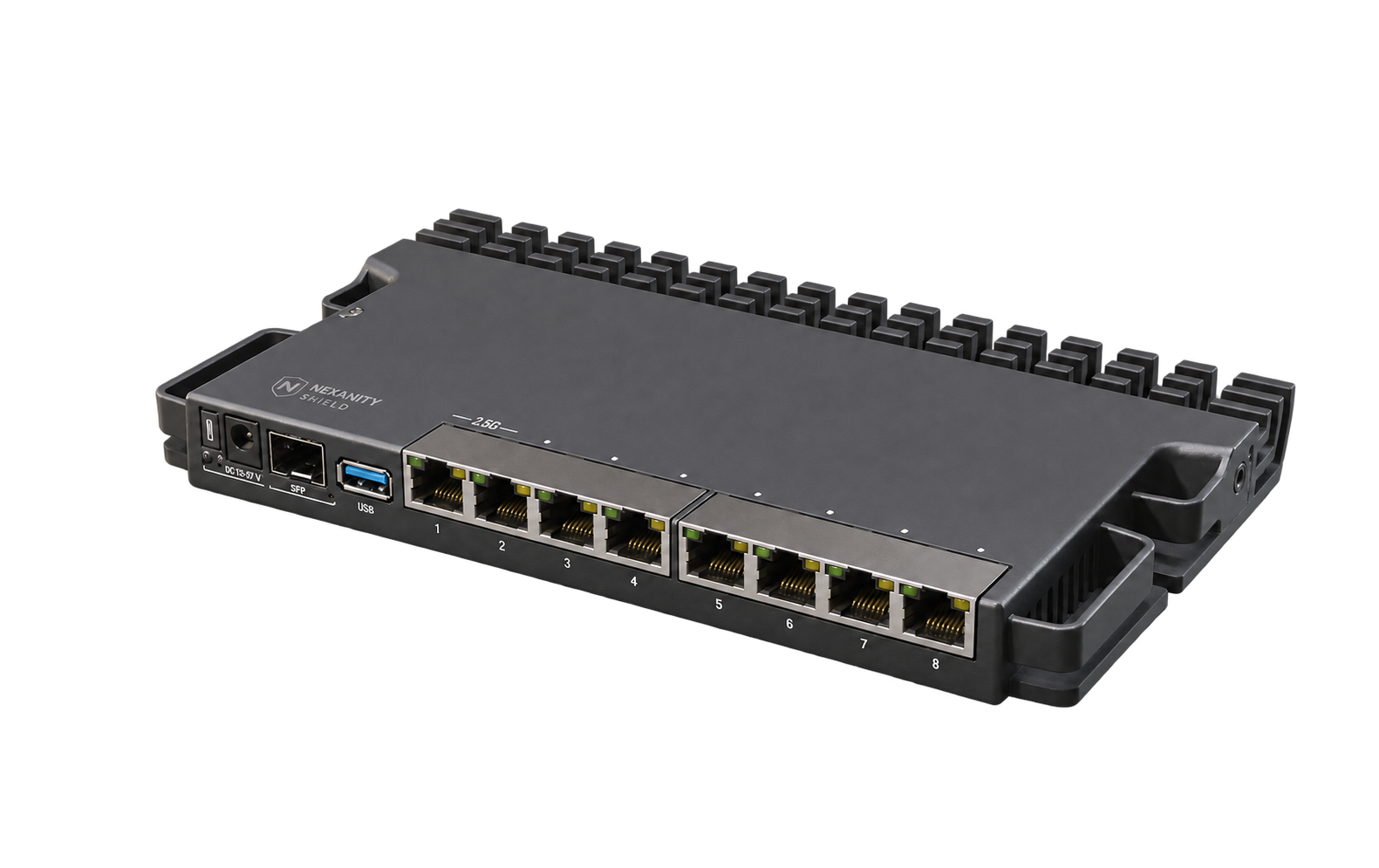
Nexanity supplies the hardware with Shield installed. Your team connects the WAN and LAN, enters the ISP settings and activates the device licence.
Share new connections between providers during normal operation, or keep one as a backup. Link checks help detect a failed uplink.
Apply a website policy to a staff subnet and allow selected devices an exception. DHCP pools, address ranges and MAC addresses can identify group members.
Use a local HTTPS dashboard with English guides. When help is needed, grant VPN access so support can review the same settings with you.
| Appliance platform | RB5009UG+S+IN · quad-core ARM64 processor, up to 1.4 GHz. |
|---|---|
| Connectivity | Eight copper Ethernet ports, one SFP+ cage and one USB 3.0 port. Port roles and VLANs are configured per site. |
| Power | DC jack, two-pin DC terminal or PoE input on Ether1. |
| Deployment | Physical wired gateway. Connect your existing switches and wireless access points for office devices. |
Sizing an installation. Share the number of users, ISP speeds, expected VPN traffic and filtering needs with Nexanity. Port speeds describe the hardware interfaces. Inspection throughput and supported user count depend on the workload.
| Network and routing | WAN and LAN interfaces, DHCP or static WAN addressing, bridge VLANs with tagged and untagged ports, DHCP leases and reservations, DNS settings, static routes and active routes. |
|---|---|
| Dual WAN and QoS | Link health checks, weighted load sharing, failover and traffic routing policies. Limit bandwidth for devices or share a rate across a group. Set upload and download queues for an uplink. |
| Firewall and NAT | Security zones, traffic allow/deny rules, source NAT, port forwarding and controls for access to the dashboard. |
| Web and application control | Device groups, website rules and exceptions. Sixteen application presets include YouTube, ChatGPT, WhatsApp and BitTorrent. Coverage depends on the domain or protocol information visible to the router. |
| Threat Protection | Daily phishing, ransomware-domain and IP reputation lists, custom indicators and exceptions. Four built-in rules cover two web scanner identifiers, a mining-pool subscription and outbound legacy SMBv1. Choose alerts or blocking per rule. File antivirus is outside this release. |
| VPN | WireGuard peers for remote access and IPsec settings for site-to-site tunnels. Access to office networks depends on allowed routes and firewall rules. |
| Monitoring and history | Physical port status, interface traffic, appliance health, DHCP clients, activity log and diagnostics. Search observed office LAN connections by date, device, destination or estimated IP country. History targets up to 30 days within a 64 MiB limit. The separate threat log rotates within 4 MiB. |
| Administration | Administrator and read-only accounts, management access controls, backup and restore, restart and factory reset, device-bound licensing and signed firmware checks. |
Open Licence on the router. Use its appliance ID to request and activate a signed licence. Account enrollment links the router to Shield Control for status check-ins.
For settings changes, the customer authorizes a management VPN route and a router account. An internet link alone enables no remote administrator session. Power or link loss may require on-site help.